
Leave, attendance and pay slips in one place —
the legal rules are on us
Leave accrual under the Labor Standards Act, clock-in records, leave and expense approvals, e-signatures and pay slip issuance. Preconfigured so a small company can start right away.
All features during the trial · No card required · Approved within 1 business day
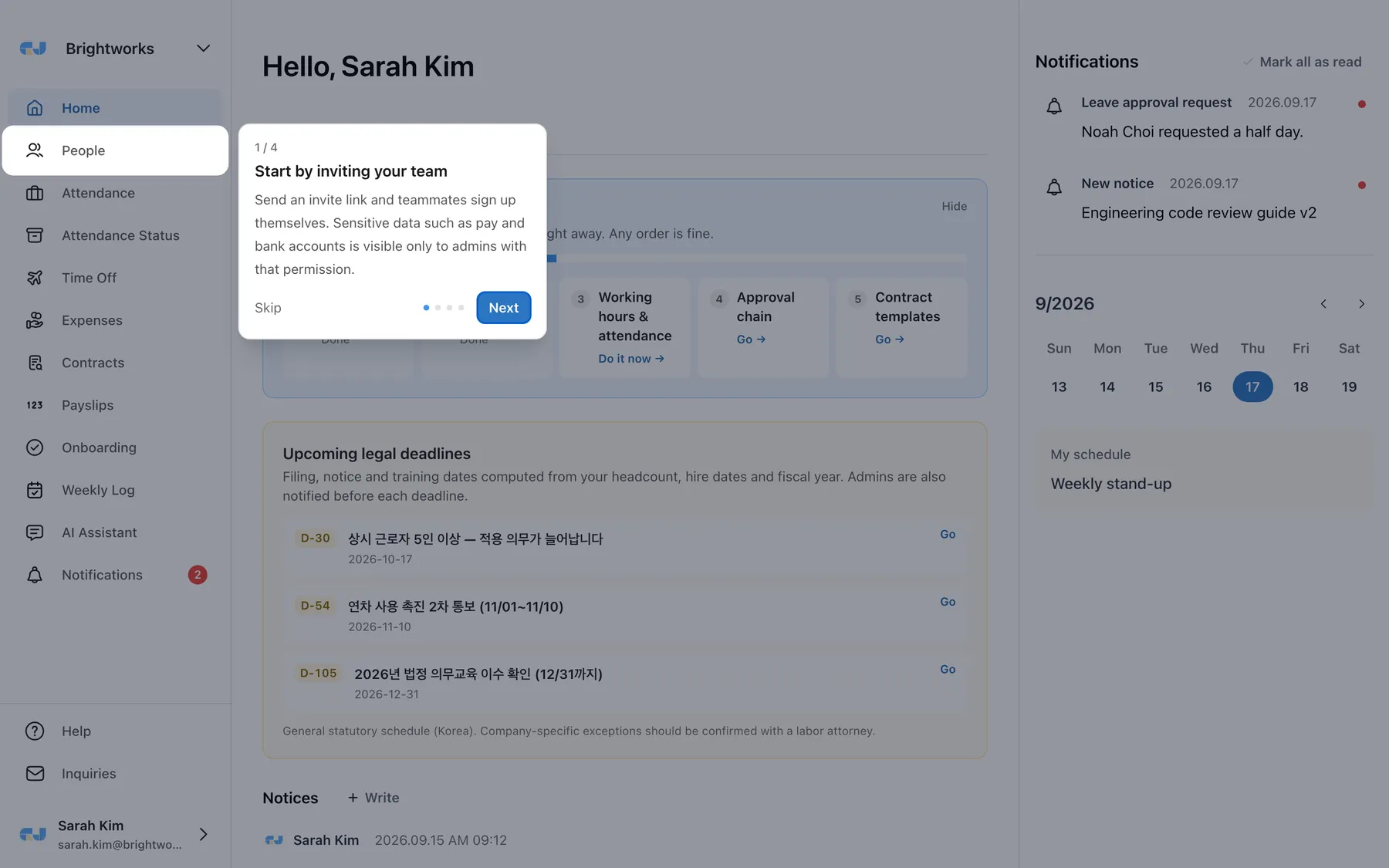
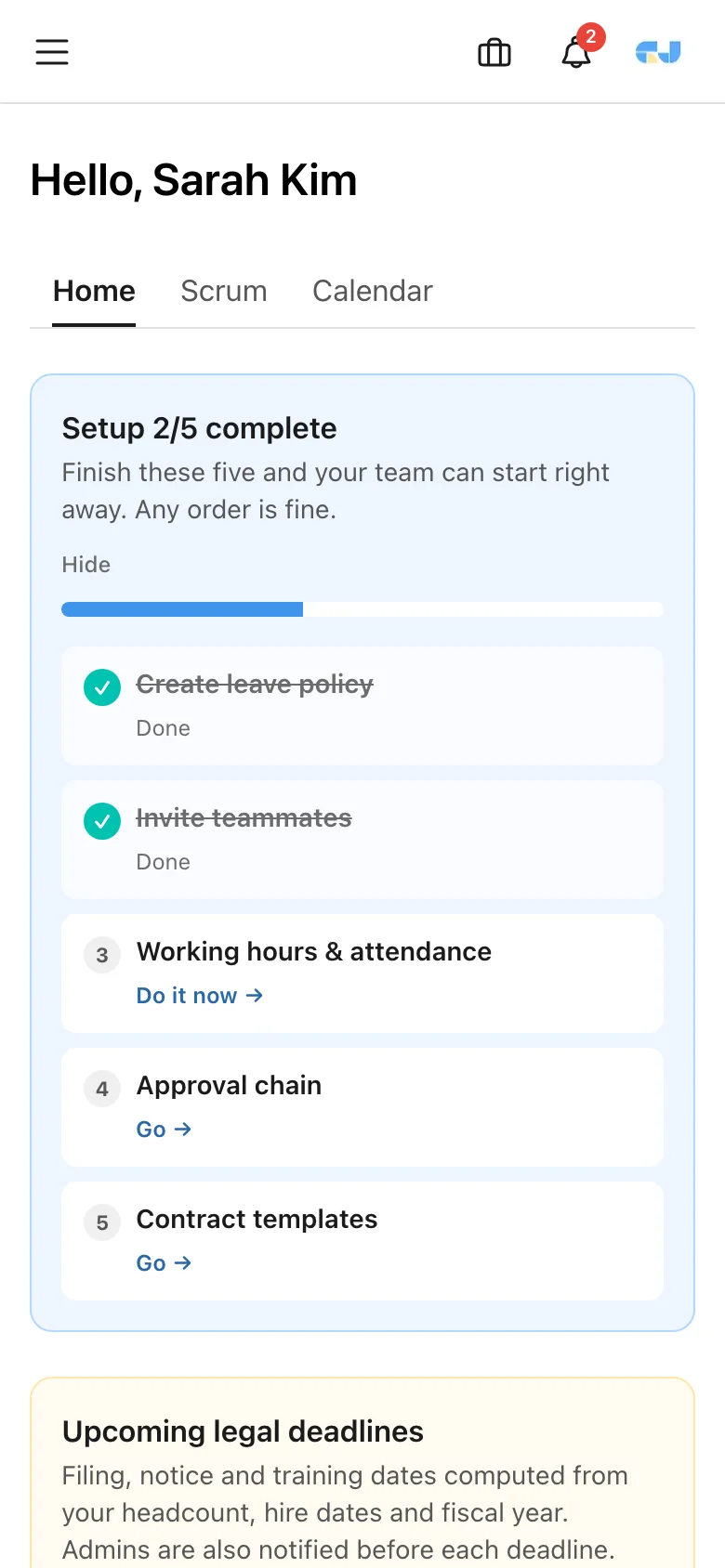
30-second tour
See GI-JUN on real screens
Product screens
The screens you use every day are this simple
Instead of complicated menus, we built screens that show what you need to do today right away.
Leave · annual leave
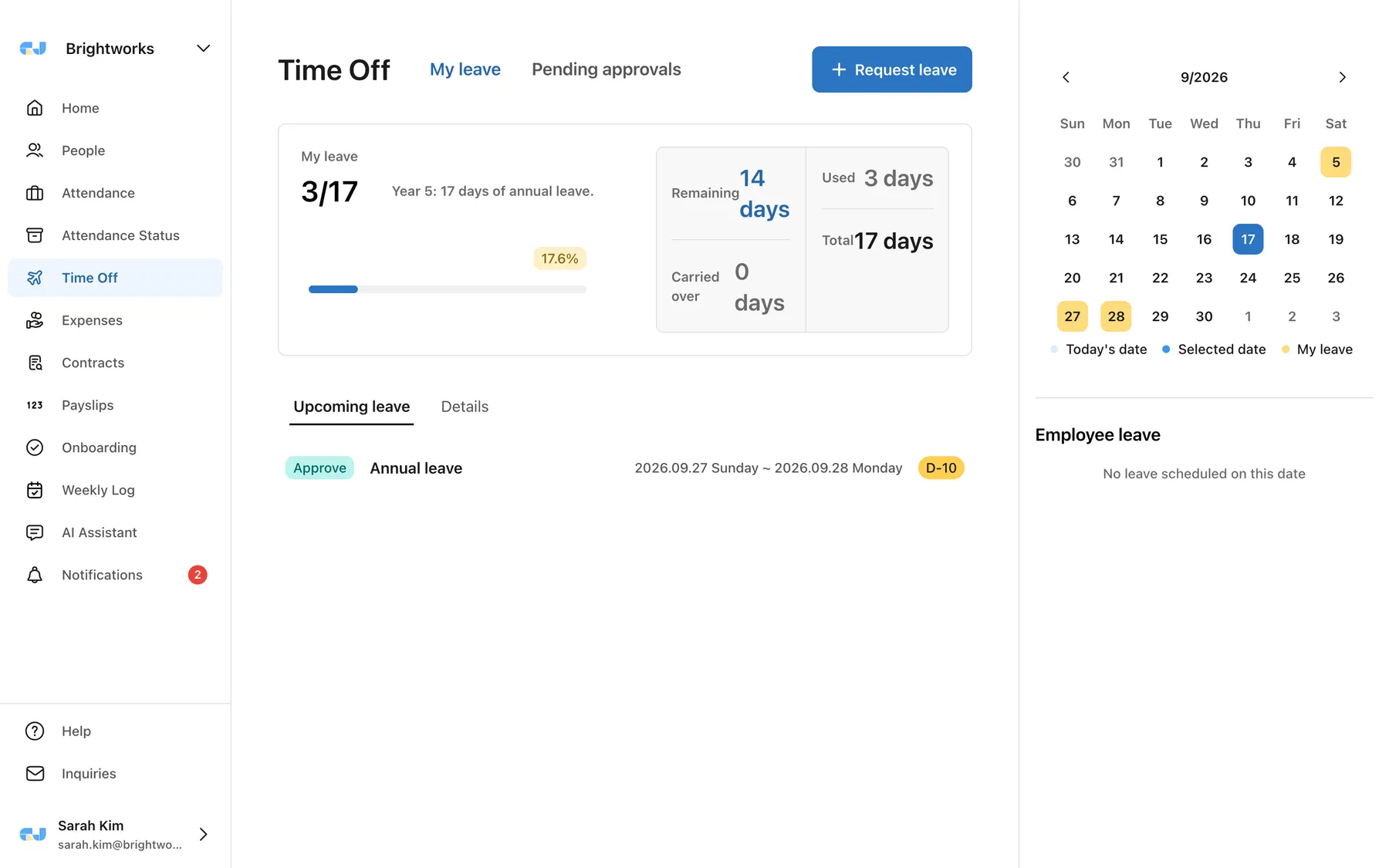
From remaining annual leave to approvals, manage it all on one screen
Annual leave is automatically generated based on hire date, and requests, approvals, and cancellations are immediately reflected in remaining days. Check team leave schedules directly on the calendar.
- Set annual leave, monthly leave, and special leave policies according to company rules
- Support for multi-step approvals, registering on behalf, and carry-over rules
- Accurately display remaining days and usage history based on the ledger
Attendance
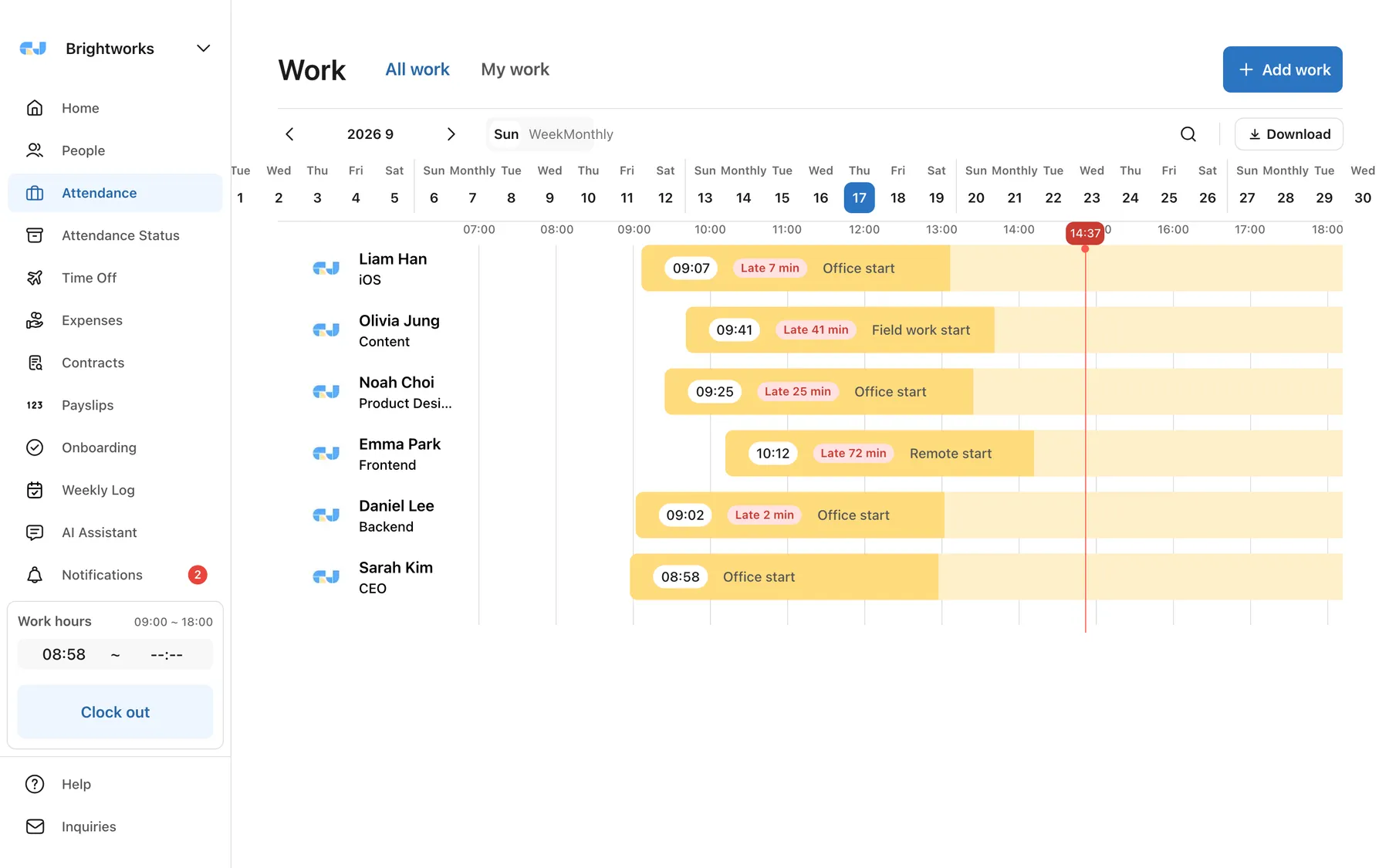
See who is working where today at a glance
Clock-in/out, off-site work, and remote work records are collected in a timeline. Admins can leave work additions and correction history, and monthly work hours are totaled automatically.
- Automatic totaling of clock-in/out checks and break time deductions
- Records by work type, such as off-site and remote work
- Record corrections are preserved in history with reasons
Attendance status
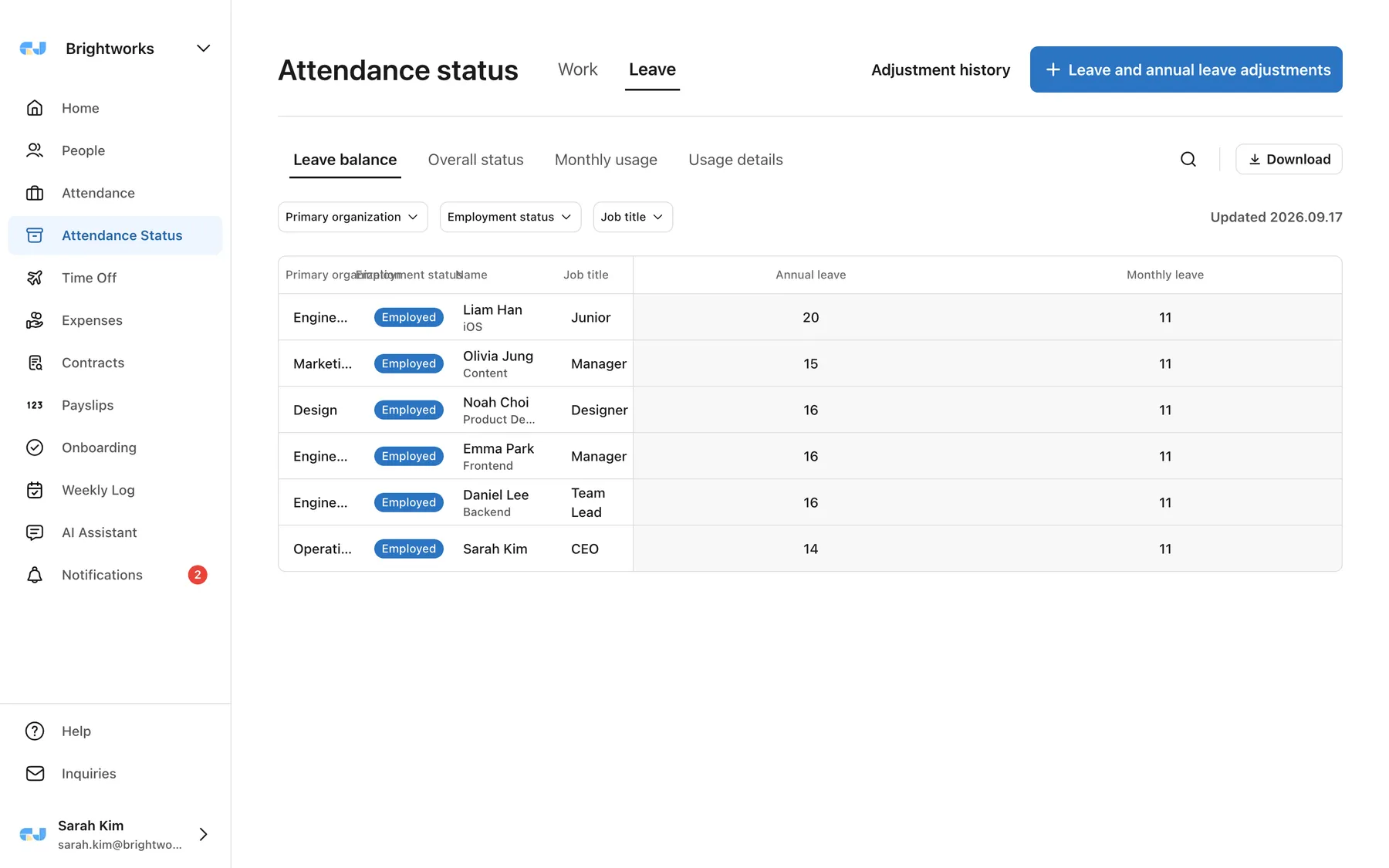
Organize annual leave balances and usage in a single table
Filter by department, employment status, and job title, and download monthly usage status and details as-is. Annual leave adjustments are also recorded in history.
- 4 views: balances · all · monthly usage · details
- Track leave and annual leave adjustment history
- Connect with payroll and accounting via CSV download
Members
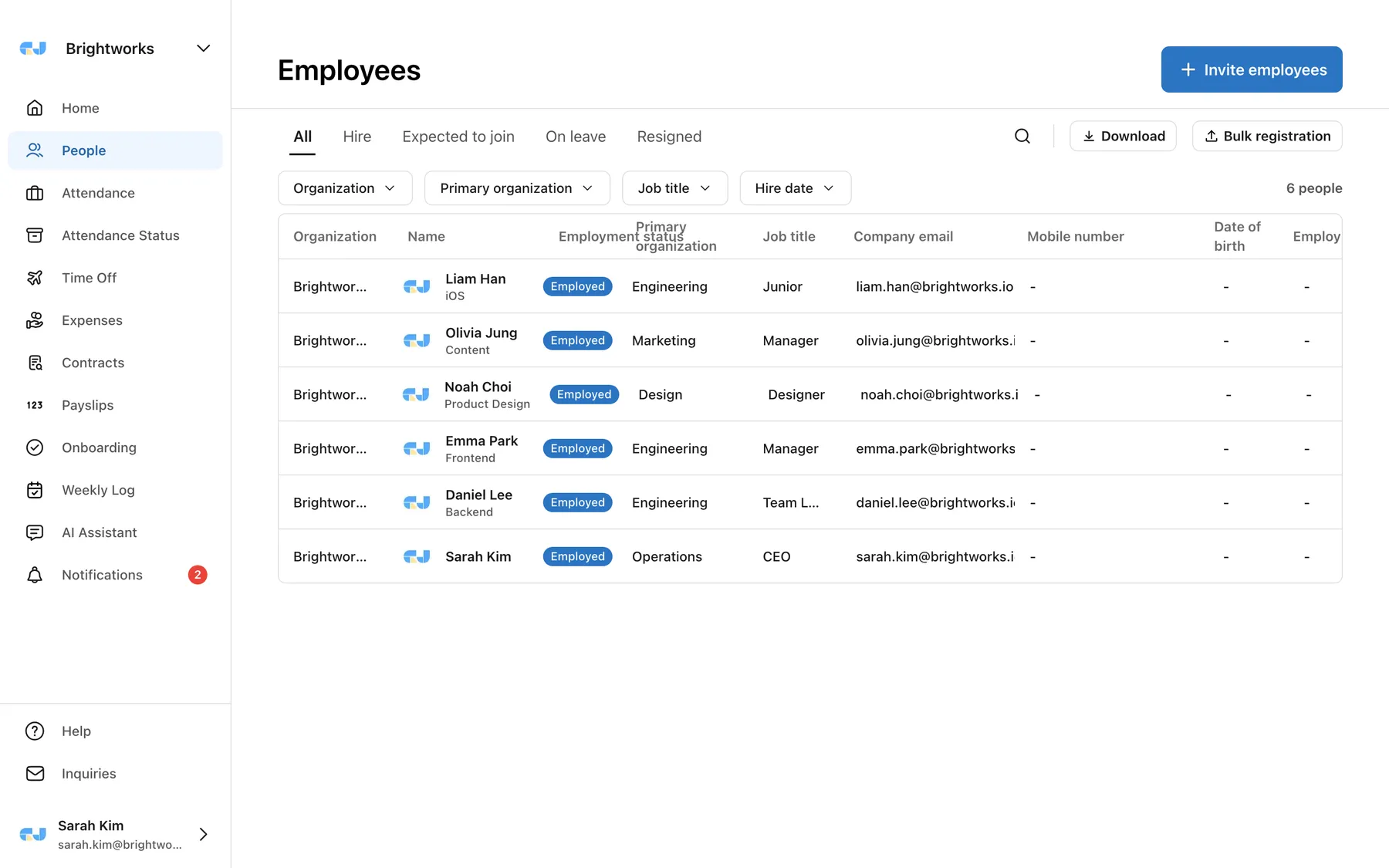
Employee information in one place, securely
Manage hire, leave of absence, and resignation statuses, departments, and job titles, and bulk register with Excel. Sensitive information such as phone numbers, accounts, and salaries is masked, and access records are kept.
- Bulk Excel registration and invite links
- Proof with sensitive information masking + access logs
- Onboarding checklist and contract e-signature integration
Payslips
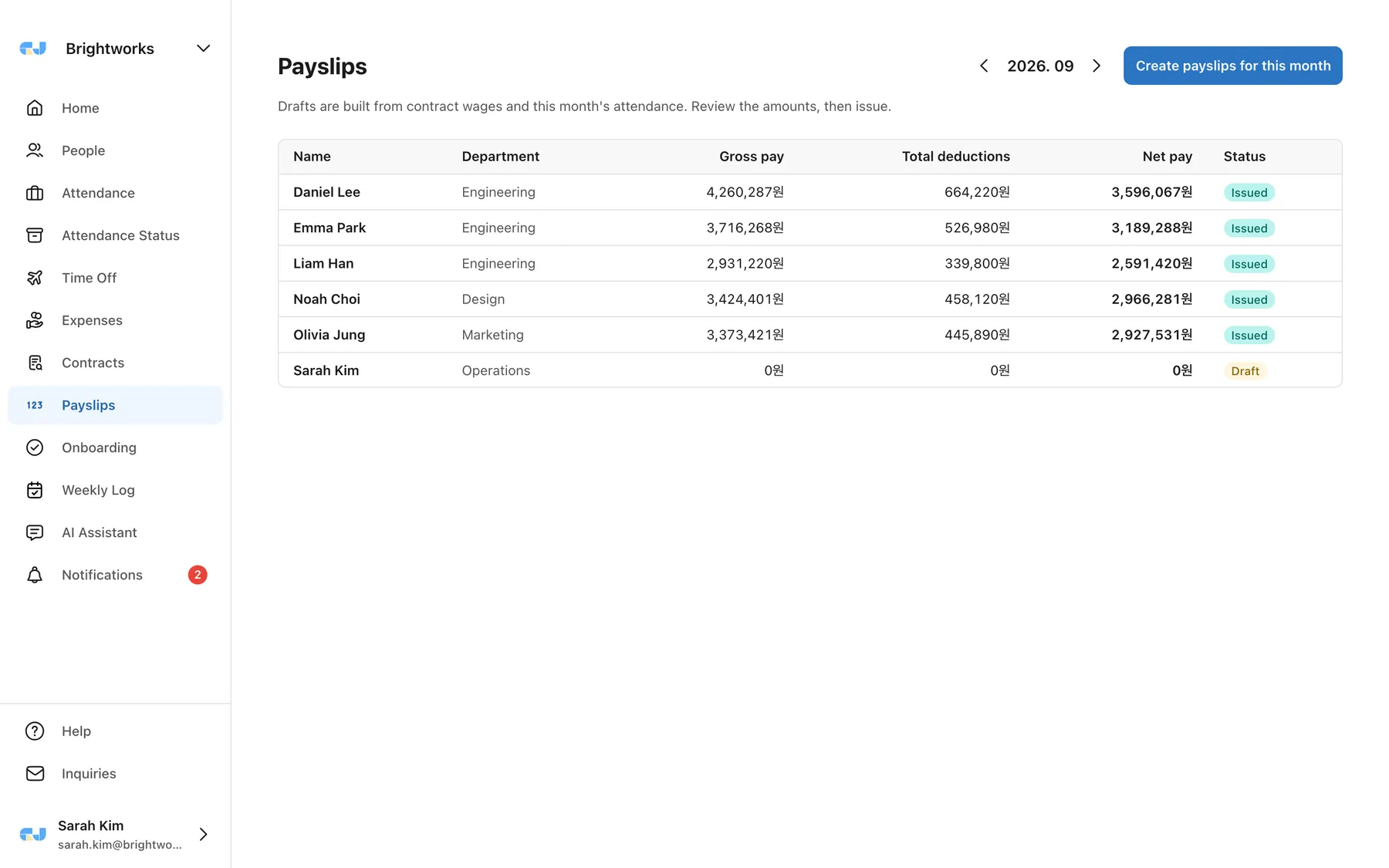
Payslips for everyone, in one pass
Draft payslips for the whole team from contract wages and that month’s attendance. Review the amounts, issue, and employees get them right away.
- Base pay and overtime calculated automatically
- Insurance and tax deductions with the calculation for each line
- Notified on issue, saved as PDF by the employee
Mobile
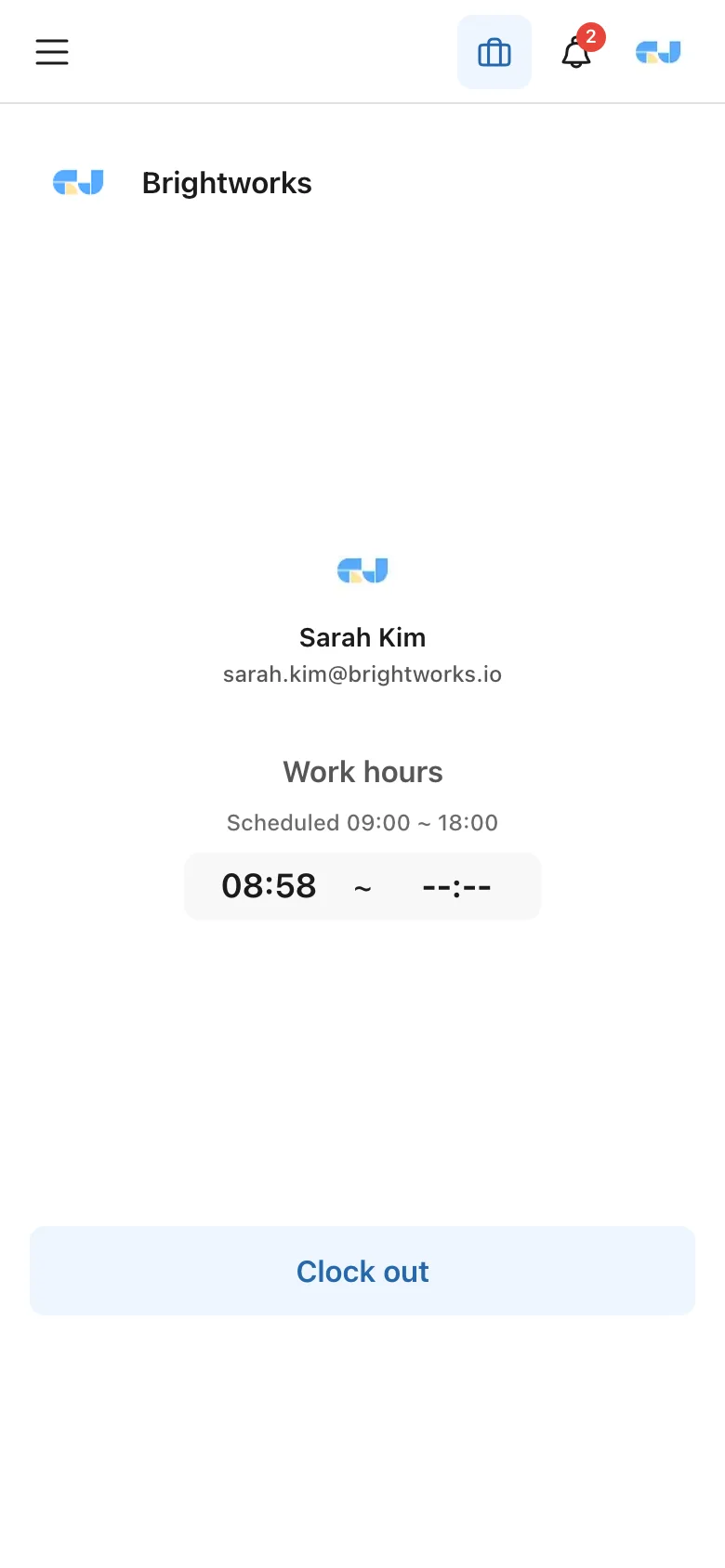
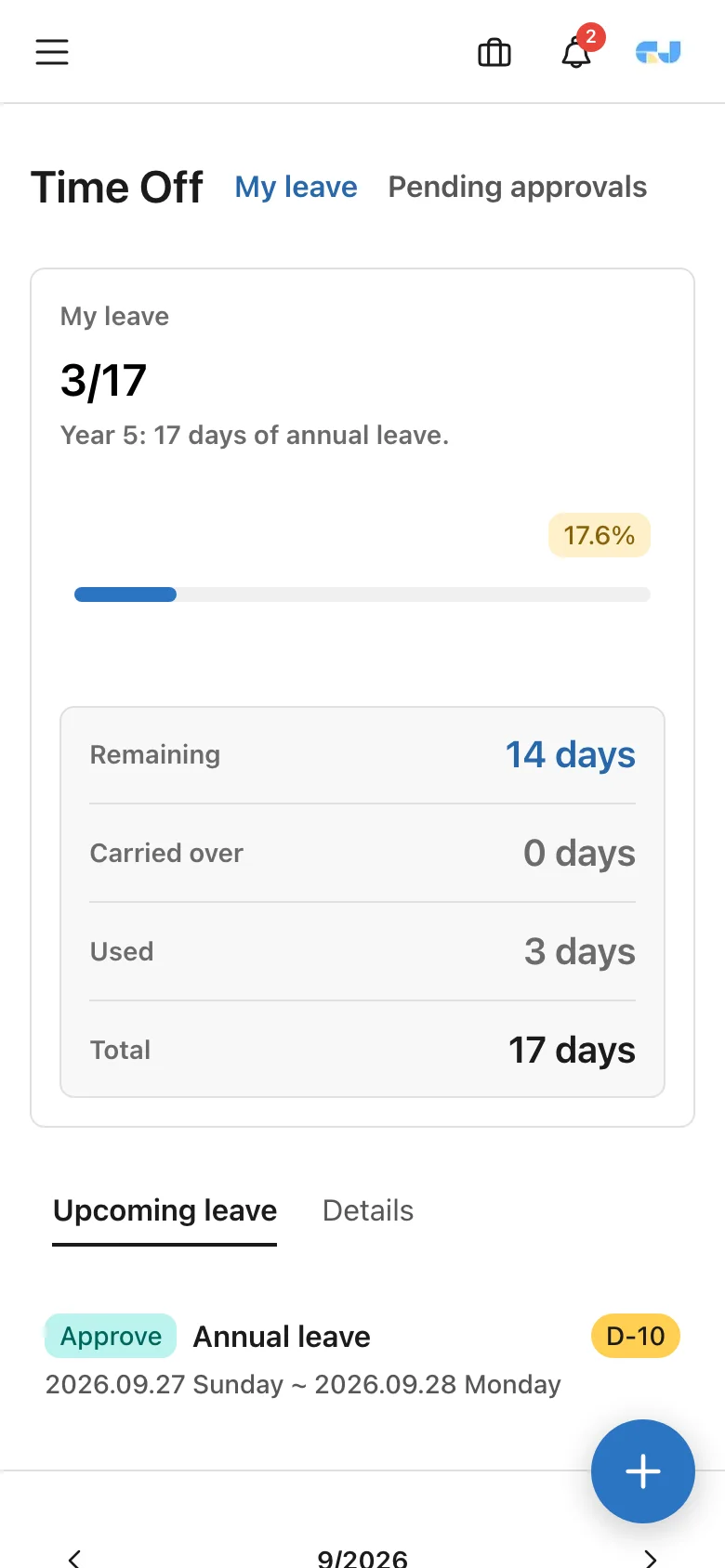
Clock-in/out and leave requests
in the palm of your hand
Use it like an app, right from your smartphone browser. From clock-in/out checks and leave requests to approvals and notices, every screen is redesigned for mobile.
- Clock in and out with one tap, with real-time work hours displayed
- Handle leave requests and approval requests instantly with push notifications
- Use the same account as the iOS · Android apps
And every other feature you need is here
We included only the HR features small teams actually need.
Leave/annual leave management
From automatic annual leave accrual and requests/approvals to tracking remaining days. Handle complex annual leave management in one place.
Expense report
Handle expense claims through approval without paper. Receipt attachments and approval line setup are easy too.
E-signature
Collect e-signatures on documents such as employment contracts and pledges. Manage signature status at a glance.
Attendance management
Automatically total clock-in/out records and work hours. Easily check attendance status by department.
Employee management
Manage member information such as department, rank, and hire date systematically, and view your org chart at a glance.
Notifications & notices
Deliver leave approvals, schedule changes, and notices without missing a beat through real-time push notifications.
Payslips
Build and issue payslips from contract wages and attendance — with the calculation for every item, as Korean labor law requires.
AI back office · Pilot
Payroll prep, checked by AI first
Before each payroll, the AI back office runs rule-based checks on what is easy to miss, and only what the person in charge confirms and approves gets executed. Rolling out to pilot companies now.
Payroll readiness check
Finds missing wages, missing clock-outs, upcoming leaves, resignations and hires, and pending leave requests — sorted into blockers and items to review.
Month-over-month comparison and draft proposals
Points out who changed versus last month’s pay slip and, once the review is done, proposes generating drafts. Execution only after approval.
Manager assistant
Answers questions like “any attendance anomalies this month?” or “whose contract is ending?” using only data within your permission scope.
Pay amounts, bank accounts, national ID numbers and contact details are never sent to the AI model. Amounts are viewed only by authorized staff on protected screens, and every view is logged.
Ask about the pilotGet started in 3 steps
No complex setup — request, invite, done.
Request a trial
Leave your company name and contact details — it takes a minute.
Approval and account
Within 1 business day we register your company and send the admin account link.
Invite your team
Pick a leave policy and working hours, invite your team, and use it the same day.
Frequently asked questions
The questions we get most before adoption. Anything else — use the contact form.
How much does it cost?
A subscription or fixed-term contract based on headcount; the trial is free. Tell us your size and work patterns and we will send a quote within 1 business day.
How do I start a trial?
Submit a trial request and we register your company and send the admin account link within 1 business day. All features are available during the trial, and no card is required.
Can workplaces with fewer than 5 employees use it?
Yes. Rules that do not apply to workplaces under 5 (overtime, night and holiday premiums) are handled separately in settings. Statutory annual leave applies from 5 employees, so smaller workplaces can choose a leave policy that matches their own rules.
Can I migrate my employee list and leave balances?
Bulk-invite employees from a spreadsheet, and annual leave is calculated from each hire date. Past usage and adjustments entered by an admin are reflected in balances. We help with migration during onboarding.
Is sensitive data like pay and bank accounts safe?
Wages, bank accounts, national ID numbers and addresses are encrypted on the server, viewable only by admins with the specific permission, and every view is logged. Two-factor authentication (OTP) is available, and processors and transfers are disclosed in the privacy policy.
Does it work on mobile?
Use it directly in a mobile browser, or with the iOS and Android apps using the same account. Clock-in, leave requests, approvals and notices are designed for mobile.
What happens when the law changes?
Statutory values such as minimum wage, social insurance rates and leave rules are updated by the GI-JUN team. Changes are applied with a notice — no settings to adjust on your side.
What happens to my data if I cancel?
After the contract ends, admins can still export employee, leave and attendance data to a spreadsheet; personal data is deleted after the 90-day retention period.
Request your trial today
After approval within 1 business day, try every feature without limits.
When you decide to adopt, it continues as a subscription or fixed-term contract.
Implementation inquiry
An adoption method that fits your company
We'll guide you
A representative will explain setup guidance tailored to your size and work style, trial operation, and contract options such as term contracts and subscriptions. We will contact you within 1 business day of your inquiry.
- · Use all features without limits during the trial period
- · After the contract, the operations team registers your company and sends the admin account link
- · Support for migrating existing data (employee list)